
 by
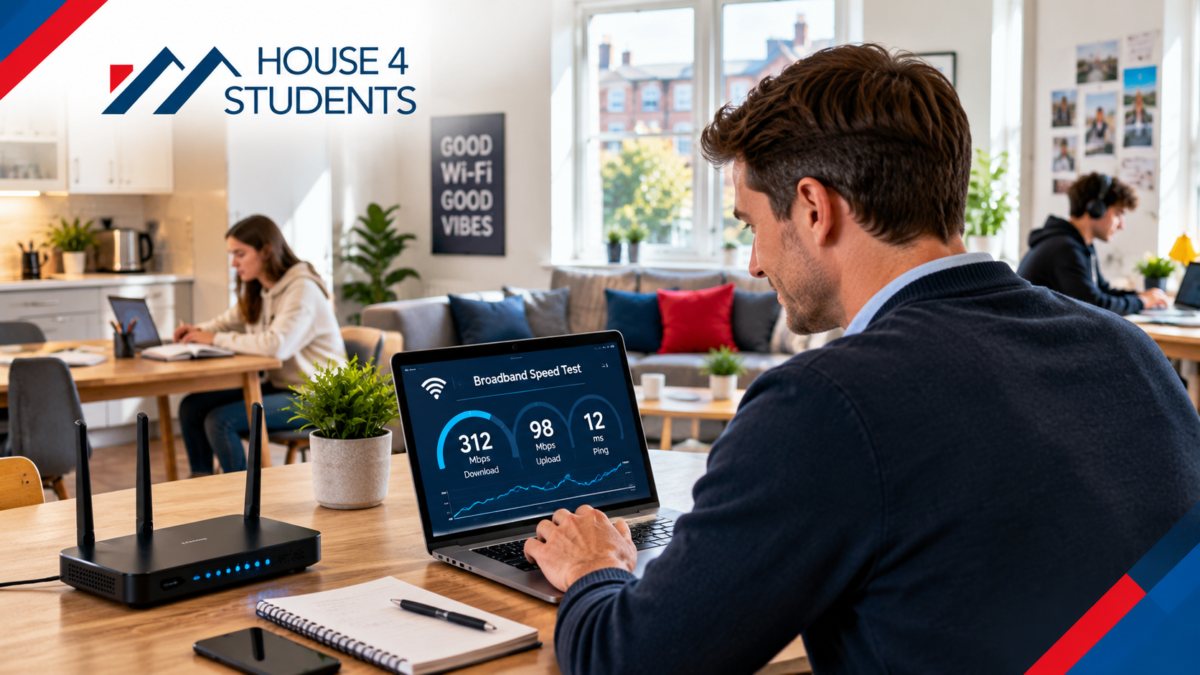
A student house can have comfortable bedrooms, modern furniture and a freshly decorated kitchen. However, if the broadband keeps dropping out during an online lecture, those improvements quickly become less important.
For students, reliable internet is essential for university work, video calls, research, entertainment and everyday communication.
For landlords, broadband problems in student houses can create unnecessary complaints, additional administration and frustrated tenants.
The good news is that many common broadband issues can be prevented or identified early.
Here is how student landlords can manage broadband more effectively before a minor connection problem becomes a major complaint.
1. Check Broadband Performance Before Students Move In
One of the simplest mistakes landlords make is assuming that broadband works properly because the router is switched on.
A connected router does not necessarily mean every bedroom has a reliable internet connection.
Before the next tenancy begins, test the broadband throughout the property.
Check:
- Download and upload speeds
- Wi-Fi signal in every bedroom
- Connection stability in communal areas
- Performance on different floors
- Router and network equipment condition
- Whether the connection slows with multiple devices
Where possible, test the broadband using a wired connection as well as Wi-Fi. This helps distinguish problems with the incoming broadband service from problems with wireless coverage.
You can also use Ofcom’s broadband availability checker to review the types of broadband available at the property.
Landlord tip: Complete these checks as part of your student house summer preparation checklist.
A short inspection before move-in can prevent repeated complaints throughout the academic year.
2. Choose Broadband That Matches the Household
A broadband package that works perfectly for one person may struggle when five or six students connect multiple devices simultaneously.
Consider the typical internet activity in a shared student house.
Students may be:
- Attending online lectures
- Uploading coursework
- Streaming television
- Gaming online
- Using video calls
- Downloading large files
The connection must support several activities happening at once.
When choosing a package, consider the number of tenants, expected simultaneous usage and both download and upload performance.
Full-fibre broadband may offer better speeds and reliability where available.
However, the most expensive package is not automatically the best solution.
According to Ofcom’s guide to choosing broadband, landlords and consumers should compare available connection types, speeds, costs and customer service.
The objective is simple: choose broadband that can realistically support the whole household.
3. Fix Weak Wi-Fi Coverage Before It Becomes a Complaint
Sometimes the broadband connection itself is perfectly fine.
The problem is how the Wi-Fi signal travels around the house.
Thick walls, multiple floors, large furniture and poor router positioning can affect wireless coverage.
For example, a router installed near the front entrance may provide excellent speeds in the living room but struggle to reach an upstairs bedroom.
Landlords should consider:
- Positioning the router centrally where practical
- Keeping it away from unnecessary obstructions
- Checking whether the router supports modern Wi-Fi standards
- Installing suitable mesh Wi-Fi equipment
- Using wired access points for larger properties
- Testing coverage after making improvements
Mesh networks or wired access points can help distribute the connection more effectively.
However, additional equipment should be properly configured rather than installed without checking whether it solves the underlying problem.
A strong broadband package means little if students cannot access it reliably from their rooms.
4. Create a Simple Broadband Troubleshooting Guide
Not every broadband problem requires an engineer.
Sometimes an issue can be resolved by restarting equipment or checking whether a device has connected to the correct network.
Landlords can reduce unnecessary maintenance messages by providing a simple troubleshooting guide.
Include instructions covering:
- Checking whether the router has power
- Confirming the correct Wi-Fi network is selected
- Restarting a device that cannot connect
- Checking for a known provider outage
- Restarting the router only when appropriate
- Reporting persistent or repeated problems
Ofcom’s broadband troubleshooting advice provides practical guidance for identifying common connection problems.
Make the instructions easy to follow without expecting students to understand technical networking terminology.
It is also worth explaining which equipment students should not unplug, reset or modify without contacting the landlord.
A short guide placed near the router or included in the tenant welcome information can save everyone time.
5. Monitor Recurring Problems Without Invading Privacy
Landlords do not need to monitor what students do online to identify broadband problems.
Instead, focus on the service itself.
Depending on the provider and equipment, appropriate checks may include:
- Reviewing reported service outages
- Checking router connection status
- Identifying repeated disconnections
- Reviewing the dates and times of faults
- Comparing speed test results
- Recording maintenance and engineer visits
Avoid accessing tenants’ browsing activity or collecting unnecessary personal information.
Any remote monitoring should be proportionate, transparent and consistent with applicable privacy requirements.
Where access to the property or equipment is needed, communicate with tenants and arrange access appropriately.
If several students report the same connection problem, investigate the shared equipment or broadband service rather than assuming the issue is caused by individual devices.
Good broadband management is about service reliability, not monitoring tenants’ internet activity.
6. Deal With Broadband Faults Quickly
Even a well-managed connection can occasionally fail.
What matters is how the problem is handled.
When students report an issue, acknowledge it promptly and establish whether the problem affects one device, one room or the entire property.
Then take practical steps.
Step 1: Confirm the problem. Find out when it started and whether other students are affected.
Step 2: Check the provider’s service status. Establish whether there is a known network outage.
Step 3: Carry out basic troubleshooting. Follow the provider’s recommended checks.
Step 4: Report the fault. Contact the broadband provider if the problem continues.
Step 5: Keep tenants informed. Explain what has been reported and when the next update is expected.
Step 6: Confirm the repair. Test the connection after the provider reports that the issue has been resolved.
Keep a written record of fault reports and reference numbers.
Where the landlord holds the broadband account, it may also be worth checking the provider’s compensation arrangements.
Under Ofcom’s automatic compensation scheme, eligible residential customers of participating providers may receive compensation for qualifying service failures and delayed repairs.
Eligibility depends on the provider, contract and circumstances.
Do not assume every landlord or business broadband contract is covered.
7. Explain Broadband Responsibilities Clearly
Broadband expectations should be discussed before students sign their tenancy agreement.
If broadband is included in the rent, explain:
- Which service is provided
- Whether there are usage restrictions
- Who manages the account
- How faults should be reported
- Who is responsible for the router and other equipment
- What happens during a prolonged outage
Avoid promising guaranteed Wi-Fi speeds in every room unless these are genuinely supported by the service agreement and equipment.
If broadband is excluded from the rent, make that equally clear.
Students should understand who needs to arrange the service and when it can be activated.
This follows the same principle discussed in our guide to what makes a great student landlord in 2026: clear responsibilities and honest communication help prevent unnecessary disputes.
A tenancy agreement and property advertisement should never create conflicting expectations about internet access.
8. Keep Students Updated Before They Chase You
Poor communication can turn a straightforward broadband issue into an avoidable disagreement.
Imagine the broadband stops working on Monday morning.
The landlord reports the problem immediately, but the provider cannot send an engineer until Wednesday.
If students hear nothing, they may assume nobody is dealing with the issue.
A short update changes the experience.
For example:
“We’ve reported the broadband fault to the provider. An engineer visit is being arranged, and we’ll update everyone as soon as we receive confirmation.”
This demonstrates that the problem has been acknowledged.
For longer outages, consider asking the provider about temporary connectivity options. Where practical, a suitable mobile broadband solution may help students remain connected while repairs are completed.
Avoid promising a restoration date unless the provider has confirmed it.
As explained in our article on student housing complaints and how landlords can prevent them, responsive communication is an important part of maintaining a positive landlord-tenant relationship.
Students may understand that technical problems happen. What they find harder to accept is being left without information.
9. Make Broadband Checks Part of Routine Property Management
Broadband should not be something landlords think about only when a tenant complains.
Instead, include it in the property’s regular maintenance routine.
Before a New Tenancy
- Confirm the service is active
- Test Wi-Fi in every bedroom
- Check router and network equipment
- Review broadband package suitability
- Prepare connection instructions
During the Tenancy
- Respond promptly to reported faults
- Record recurring connection problems
- Keep tenants informed about planned maintenance
- Investigate weak coverage complaints
- Review performance following significant outages
Between Tenancies
- Review broadband costs and contract dates
- Check whether faster or more suitable services are available
- Update router firmware where appropriate
- Replace outdated or unreliable equipment
- Change Wi-Fi credentials as appropriate for a new tenancy
These small tasks can help landlords identify problems before they disrupt university work or affect tenant satisfaction.
10. Remember That Broadband Influences Student Property Appeal
Reliable broadband is not simply another utility.
It can influence how students assess a property before moving in and how they feel about living there.
Our guide to what students really look for when renting a student house in 2026 highlights the importance of practical essentials, including reliable internet, warmth, affordability and responsive management.
A student house does not need expensive technology throughout every room.
It needs a dependable connection that supports everyday student life.
When advertising a property, make sure broadband descriptions accurately reflect the service available.
Clear information can help prospective tenants understand what they are paying for.
You can also explore current student houses and rooms on House4Students to see how accommodation details are presented to prospective renters.
Final Thoughts: Fix the Connection Before It Becomes a Complaint
Broadband problems in student houses are not always avoidable.
Network faults, equipment failures and occasional service interruptions can happen.
However, repeated complaints about weak Wi-Fi, unclear responsibilities and poor communication are often preventable.
By checking coverage, choosing suitable packages, preparing troubleshooting instructions and responding quickly to faults, landlords can provide a more reliable experience for their tenants.
Most importantly, they can spend less time dealing with repeated complaints and more time managing their properties effectively.
The best broadband complaint is the one that never needs to be made.
For more practical advice on maintaining student accommodation, visit the House4Students landlord blog.
Looking to advertise your student property? Visit House4Students and explore our property listing services.



Join The Discussion